Etsy Integration
Etsy Setup Guide, this page provides step-by-step guidance on obtaining credentials, which are essential for the setup process.
Last updated 8 months ago

What is Etsy
Etsy is an online marketplace focusing on handmade, vintage, and unique items. It provides a platform for individual sellers and small businesses to sell their products to customers worldwide. Etsy offers various products, including jewellery, clothing, home decor, art, and craft supplies. The platform is known for its community-driven approach, with sellers and buyers able to communicate directly with each other and leave reviews. Etsy also offers a range of tools and services to help sellers manage their shops, including analytics, marketing tools, and payment processing. Overall, Etsy is a popular destination for customers looking for unique and one-of-a-kind products and sellers looking to reach a global audience with their handmade or vintage items.

Connecting the Etsy Sales Channel

With Etsy, connecting your channels is a breeze - there's no need to worry about API keys! Follow the installation guide for your specific product and install the Etsy Sales Channel effortlessly. Once installed, log in to your Etsy account and confirm the connection to start using the channel immediately. This hassle-free process means there's no need to create an API key, making it simpler and more convenient for Etsy users to connect their channels.
Click to Maximise the Image.

Installing the Etsy Sales Channel
To add the Etsy sales channel to your Neuro account, kindly adhere to the following steps:
Access your account and go to the left side of the screen. Click the "Stores" button.
If you already have a store, click "View Store" on the right side of the screen to access it.
To edit an existing store, click the edit button on the right side. If you need to create a new store, click "+ ADD" above, name it, and use the edit button to make changes.
Click "+ ADD" in the channels section to begin the installation.
A window will appear in the centre of the screen. Choose "Etsy" from the available channels list.
Provide the required information:
Channel Name: You can enter any name. However, it is recommended to choose a name that has meaning to you, such as "Etsy," as it will serve as an apparent reference for the source of the order in the future.
After filling out the fields, customise other options, then click "Save" in the bottom-right corner.
Click "Copy Connect Link" to copy a URL. Paste it in your browser's navigation bar to reach the Etsy connection page.
Follow the channel connection page instructions:
Click "Connect."
Proceed with the Etsy setup by using the API Keys you obtained earlier.
Once connected, return to channels by clicking "Continue."
You'll be back in the recently installed channel. Activate it at the top of the screen using the "Is Active" button.
Congratulations! You've successfully set up your Etsy sales channel on Neuro.
You can now sell products on Etsy and manage orders from your Neuro dashboard.
Click to Maximise the Video.

Migrating the Existing Channel
There is a new version available for the Etsy connection that we have released. If you have already established an Etsy connection, updating it to the latest version is important. To complete the migration process, please follow the steps below:
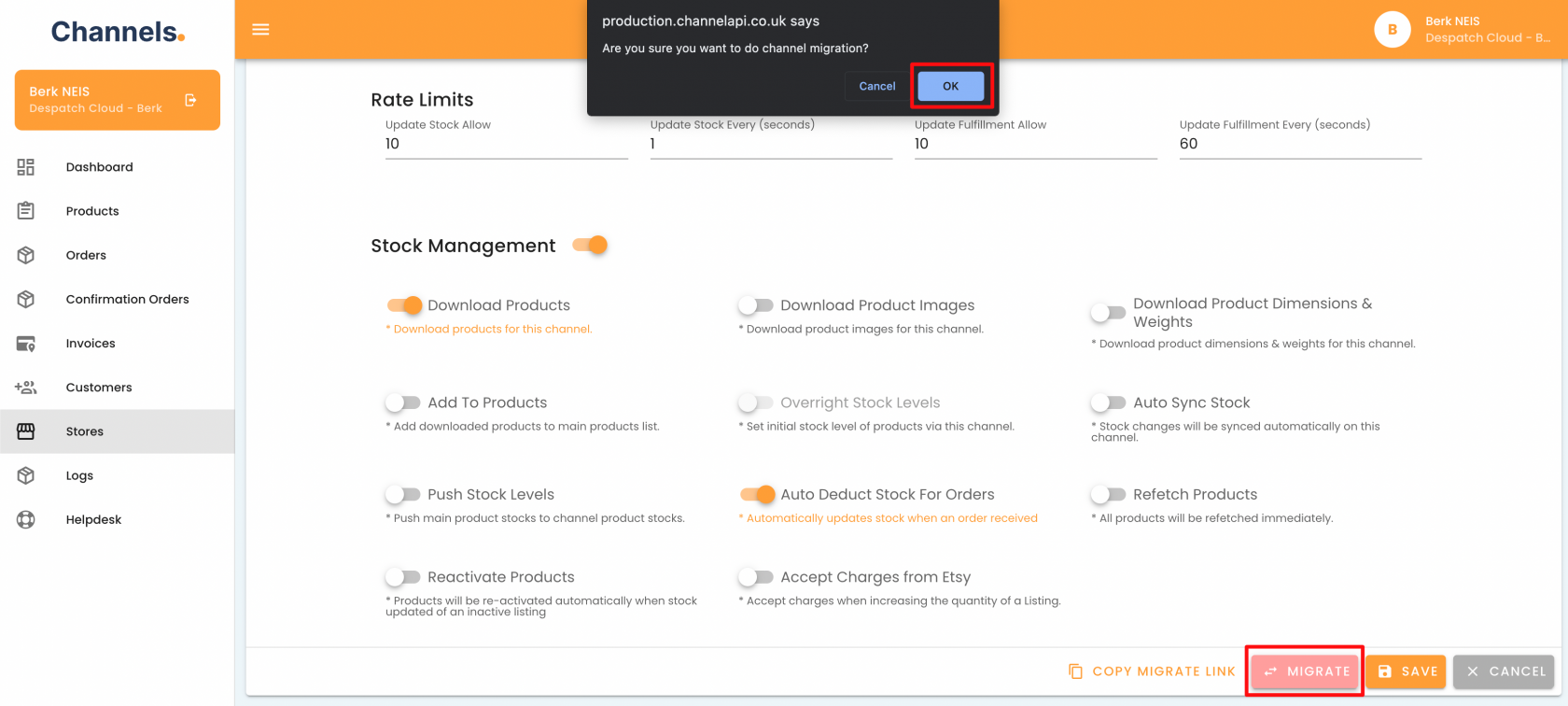
1. Navigate to your Etsy connection and locate the "Migrate" button located in the bottom right corner. Click on it and confirm the action by clicking "OK" at the top of the page.
Click to Maximise the Image.
2. You will be directed to a channels screen that prompts you to proceed forward. This step is similar to the last one. Please confirm and continue.
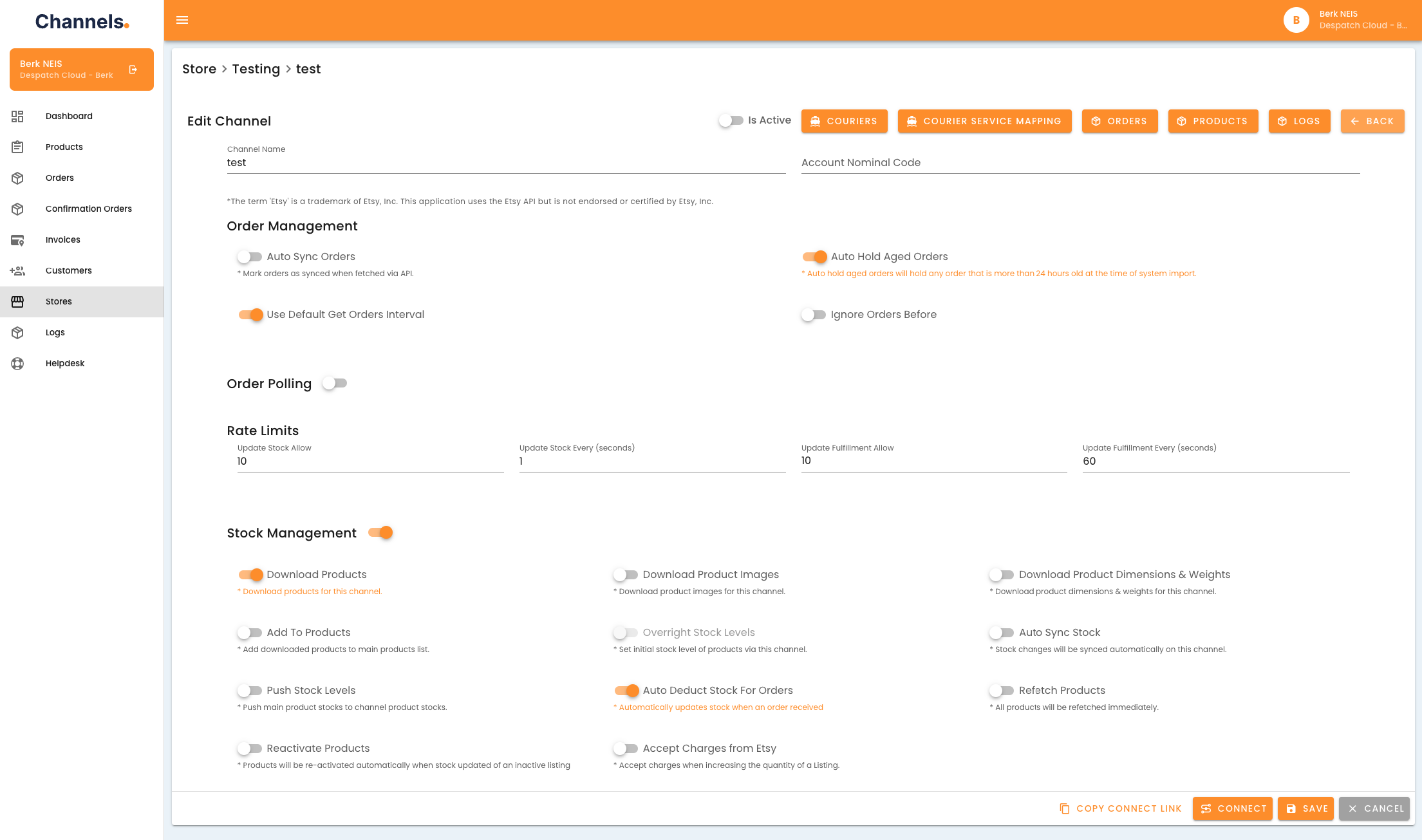
3. After completing the previous step, your Etsy channel should appear unconnected. This indicates that the connection has been upgraded and is now ready to be reconnected with Etsy.
Click to Maximise the Image.
For additional support, contact the Neuro Support Team.